In the fast-paced world of online gaming, having a reliable game server is crucial for providing a seamless and enjoyable player experience. Whether you’re running a private server for friends or managing a large community, ensuring your server is up to date is essential for maintaining performance and keeping players satisfied. But how do you know when it’s time to upgrade your game server? Here are five clear signs that an upgrade is overdue.
1. Frequent Downtime and Crashes
One of the most obvious signs that your game server is struggling is frequent downtime and crashes. While no server can maintain 100% uptime, repeated interruptions to gameplay are a strong indication that your current setup can’t handle the load. Downtime, whether scheduled or unexpected, disrupts player engagement and can lead to frustration and loss of trust in your server’s reliability.
Crashes can occur for several reasons, including inadequate hardware, overburdened software, or poor network stability. These issues become more pronounced as your player base grows or as new updates and features are introduced. If players consistently experience crashes or find that the server is offline more often than not, it’s time to consider upgrading.
Upgrading your server hardware, optimizing server software, or switching to a more reliable hosting provider can drastically reduce crashes and downtime, ensuring that players have a smoother experience.
2. High Latency and Lag
Latency and lag are performance issues that can ruin the gaming experience for players. High latency, often referred to as “ping,” is the delay between a player’s action and the server’s response. Lag occurs when the server struggles to keep up with real-time gameplay, causing delays, stuttering, or freezing.
When a game server is underperforming, it may not have enough processing power or bandwidth to handle the demands of multiple players. This can lead to poor server response times, higher ping, and overall laggy gameplay. Players might experience rubberbanding (where characters appear to teleport or snap back to previous positions), delayed actions, or game freezes—all signs that your server can no longer meet the demands of its users.
If complaints about lag or high ping are becoming more frequent, it’s a clear signal that your game server needs an upgrade. Adding more processing power, increasing bandwidth, or utilizing optimized hosting solutions can help improve performance and reduce latency.
3. Inability to Handle More Players
As your game server’s popularity grows, so does the number of players logging in simultaneously. While this is a great sign that your community is thriving, it can quickly overwhelm a server that wasn’t designed to handle large numbers of concurrent users. A server that can’t handle more players will start to exhibit signs of strain, such as crashes, high latency, and overall poor performance.
Most servers have a set player limit, determined by the amount of resources available—CPU, RAM, and bandwidth. If your server consistently reaches its player cap, you’ll likely notice increased complaints from users who experience slow loading times, lag, or difficulty connecting to the server. An overcrowded server also limits the potential for growth, as new players may struggle to join or find themselves waiting in long queues.
Upgrading to a server with more resources, increasing player slots, or opting for a scalable cloud-based hosting solution can allow your game to accommodate more players without sacrificing performance.
4. Outdated Hardware or Software
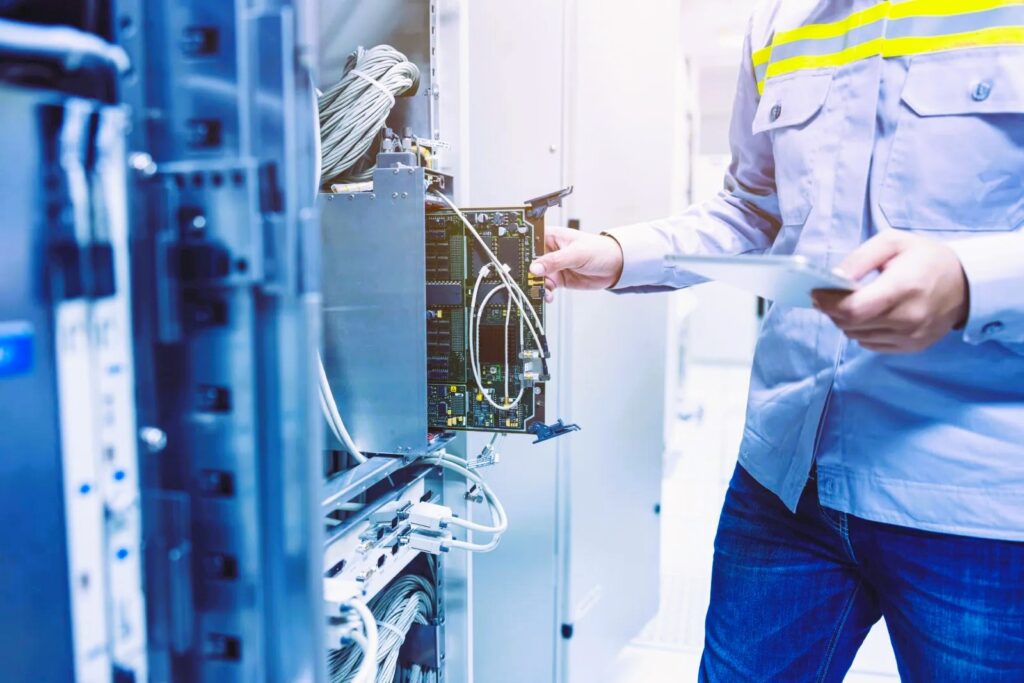
Technology evolves rapidly, and game servers are no exception. If you’re running your server on outdated hardware or software, you’re likely missing out on improved features, performance enhancements, and security updates that come with newer versions. Outdated hardware may struggle to keep up with modern games, especially those that demand more from servers in terms of processing power, graphics rendering, and network capabilities.
Additionally, game server software is regularly updated to fix bugs, enhance performance, and improve security. Failing to keep your software up to date leaves your server vulnerable to performance issues and potential security threats such as hacking or data breaches.
If you find that your server is running on outdated equipment or if you’ve skipped several software updates, it’s time for an upgrade. Modern hardware and software can provide the stability, speed, and security that today’s games and players expect.
For more details on server requirements and standards, visit Wikipedia’s Game Server page.
5. Increased Player Complaints
Perhaps the most telling sign that it’s time to upgrade your game server is feedback from the players themselves. If players are constantly reporting issues like lag, crashes, long wait times, or disconnections, it’s a clear indication that your server isn’t meeting their expectations.
Player satisfaction is crucial for maintaining a vibrant gaming community, and if your server consistently underperforms, players may start looking for alternatives. Pay attention to the feedback you receive, whether it’s through forums, direct messages, or in-game chat. Complaints about performance should never be ignored, as they often reflect deeper server-related issues.
In some cases, even if you don’t notice any major issues yourself, listening to player feedback can give you early warnings that your server is struggling to keep up. If your community is growing, it’s essential to invest in a server that can scale with your player base. Ignoring these complaints can lead to a loss of players, which in turn affects the health of your gaming community. For more information on how to choose the right game server for your gaming community, please read our article.
How to Upgrade Your Game Server
Upgrading your game server may sound like a daunting task, but it’s a necessary step to ensure your players have the best experience possible. Here are some steps to consider when planning an upgrade:
- Evaluate Your Current Setup: Take stock of your current hardware, software, and hosting provider. Identify where the bottlenecks are—whether it’s in CPU performance, memory, storage, or bandwidth.
- Plan for Growth: When upgrading, it’s essential to plan for future growth. Don’t just upgrade for the current demands; think about how your player base might expand and what resources you’ll need to support them.
- Choose the Right Hosting Provider: If you’re running your server on a hosting provider, consider whether they offer scalable solutions, such as cloud hosting. This allows your server to automatically scale resources based on demand, providing flexibility and reducing the need for constant upgrades.
- Upgrade Hardware and Software: Ensure that your server’s hardware is capable of handling the latest games and software updates. Regularly updating both the server software and the game itself is essential for maintaining security and performance.
- Monitor Server Performance: After upgrading, continuously monitor your server’s performance. Use tools to track CPU usage, memory, network traffic, and player statistics to ensure that the server is running smoothly.
Running a game server is a dynamic process that requires constant attention and care. Ignoring the signs that it’s time to upgrade can lead to a poor player experience, frustrated users, and even a decline in your game’s popularity. By recognizing the signs—such as frequent crashes, high latency, and increased player complaints—you can take proactive steps to ensure your server remains capable of delivering the best gaming experience possible.
Upgrading your server not only improves performance but also future-proofs your setup, allowing your game to grow and thrive. Whether it’s upgrading hardware, optimizing software, or switching to a more powerful hosting solution, staying ahead of the curve is essential for maintaining a successful online game.